.
Ever since Instagram started editing photos became a big thing, at twelve I had first gotten my Instagram and was editing photos of me and all my friends. As the years go by different types of filters and photoshop started trending as I was also following these trends. When I started out in college I’ve always wondered how people edited their photos or how they go such good quality. For this post, I wanted to show you guys different ways to edit photos that are very versatile to add your own personal touch and if your a college student like me, then you’ll be excited to hear that all the apps I use are free
P.S.A.: since there’s so many styles for editing photos and photoshopping I will be showing you how I edit my photos, and if your style is different you can play around with the settings.
First thing is first, choosing the pics you edit.
I usually will choose pictures that has really good lighting, really good angles, and of course where I look good in. For example, here are 4 pictures of me, and based off of these rules I will be choosing the last one.
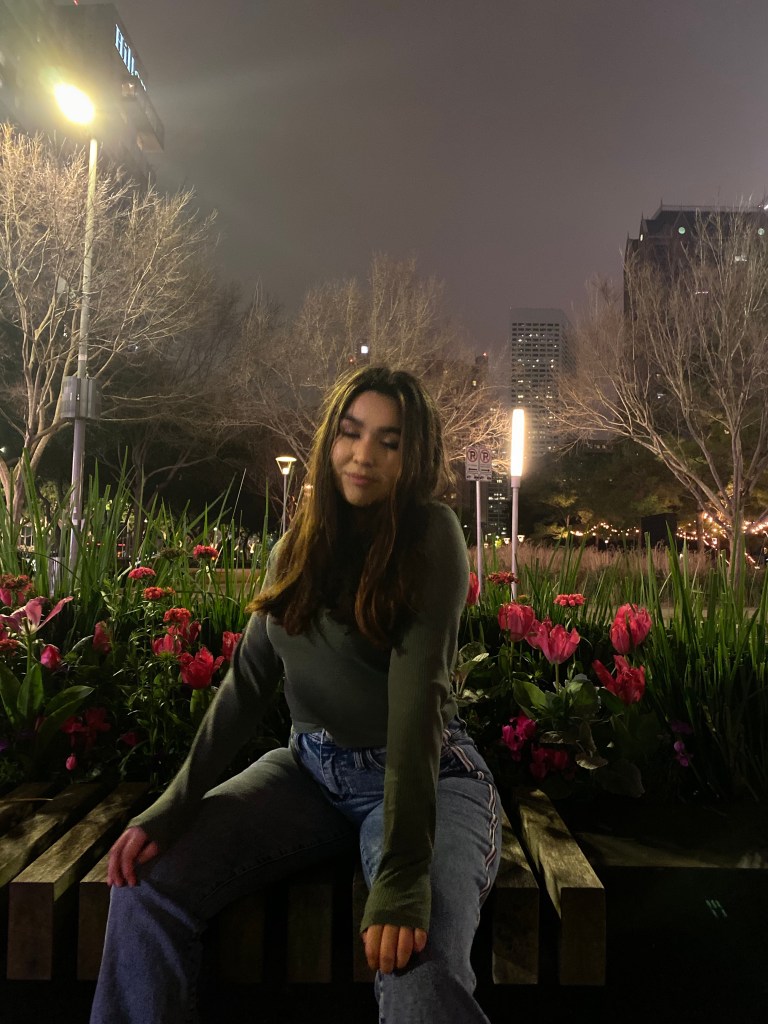
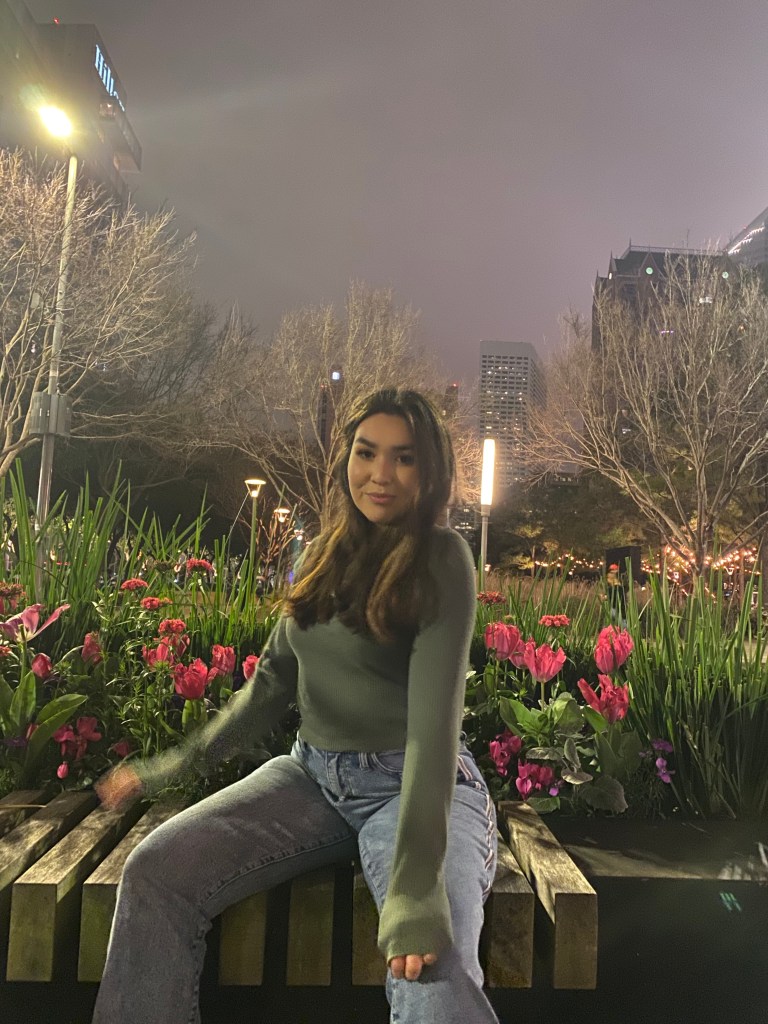
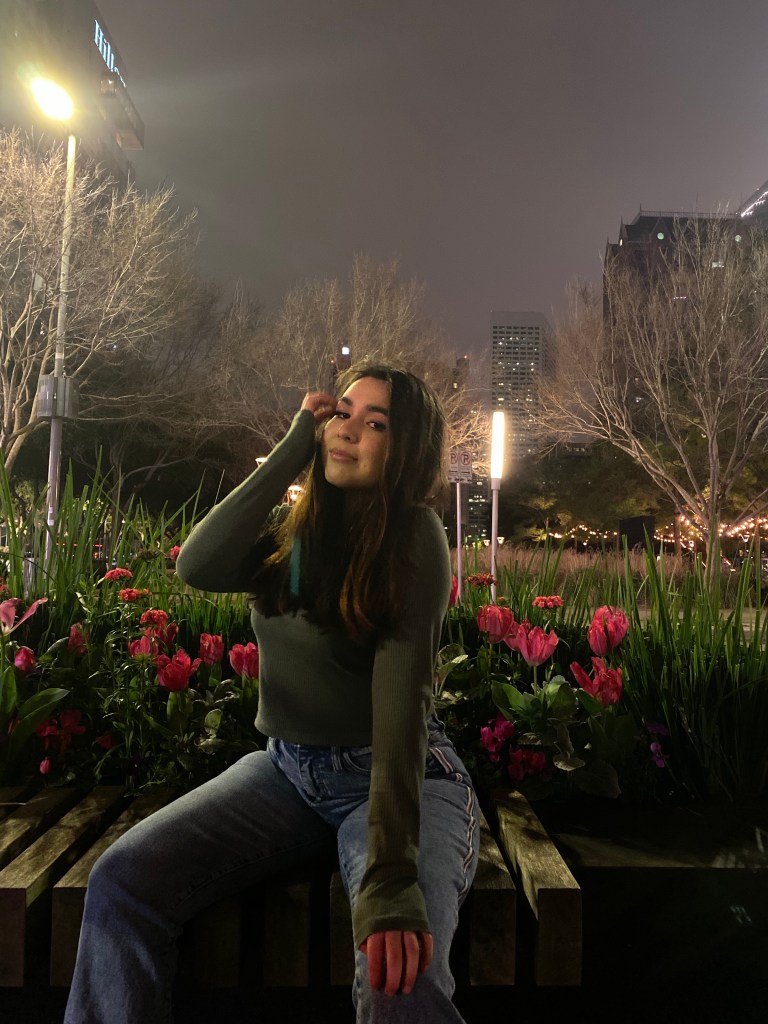
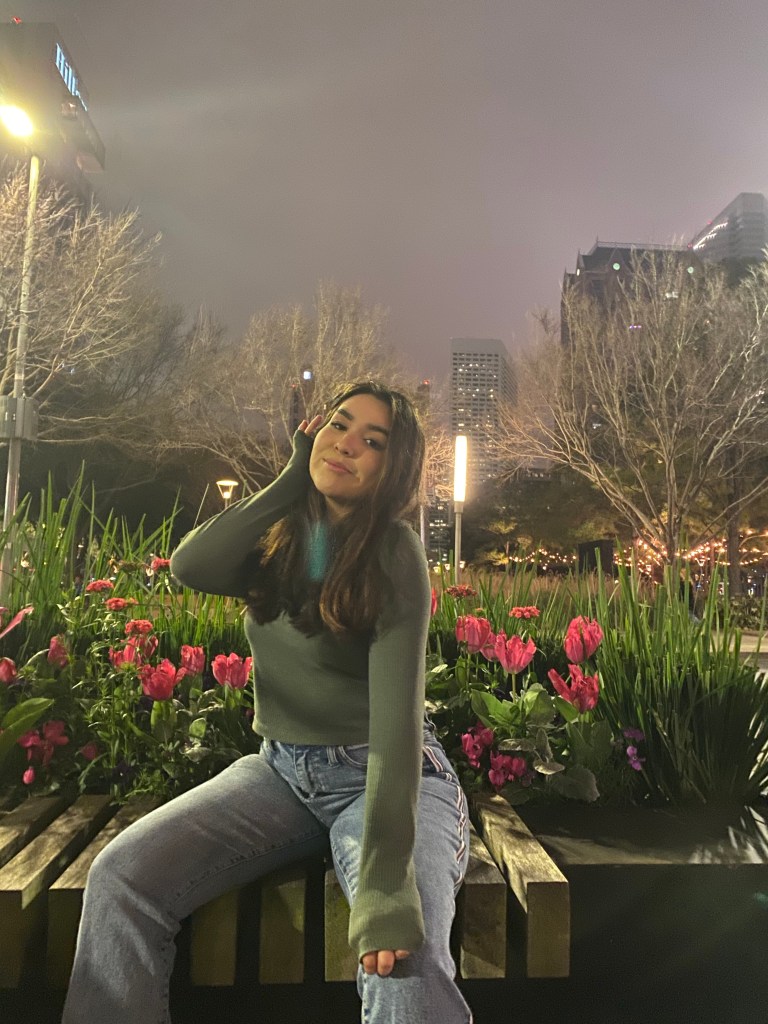
After choosing my photo, I go into an editing application called Lightroom by Adobe, from there I have a preset and apply my preset to the photo. But since this is free I’m going to give the setting for free. (Believe it or not but people can make a living off of Lightroom presets)

Now it’s going to get a little technical so bare with me.
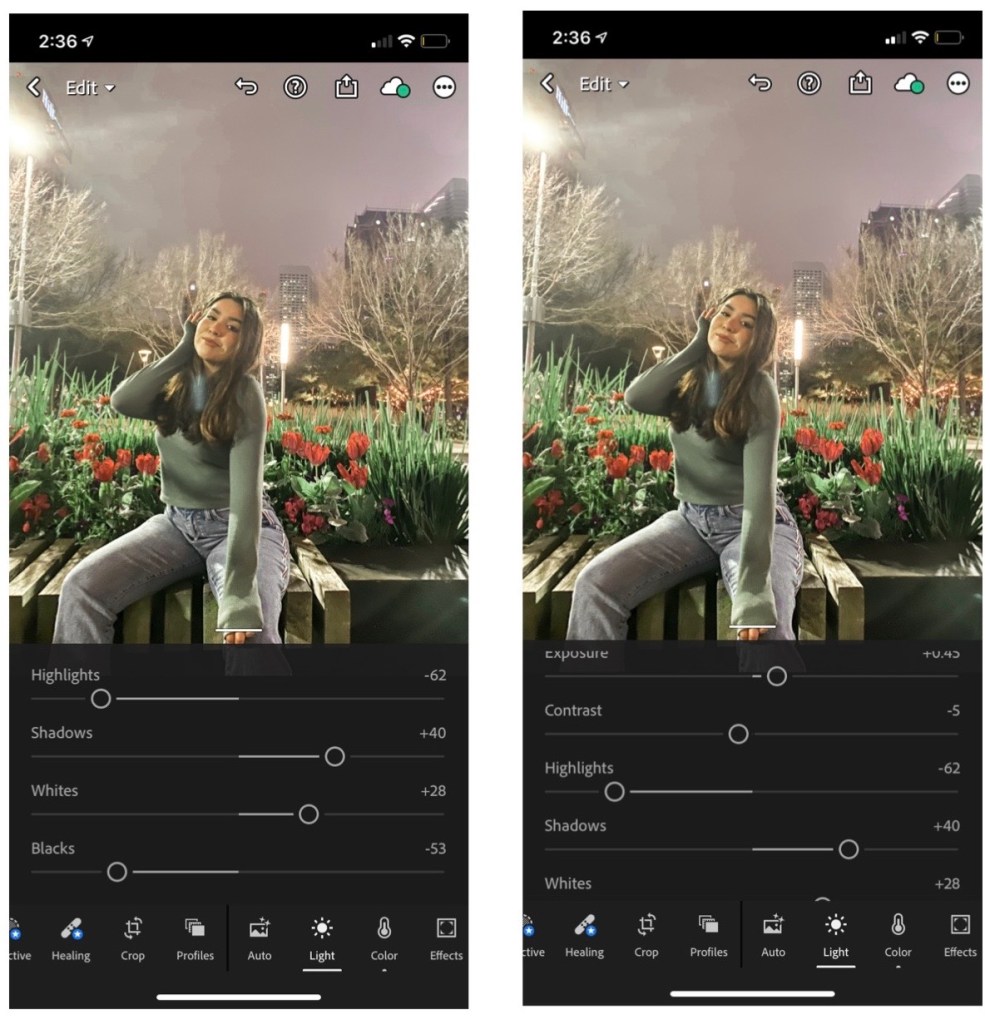
First is lighting, apply the settings from the screenshot and then based on your photo’s original lighting you can customize my preset.
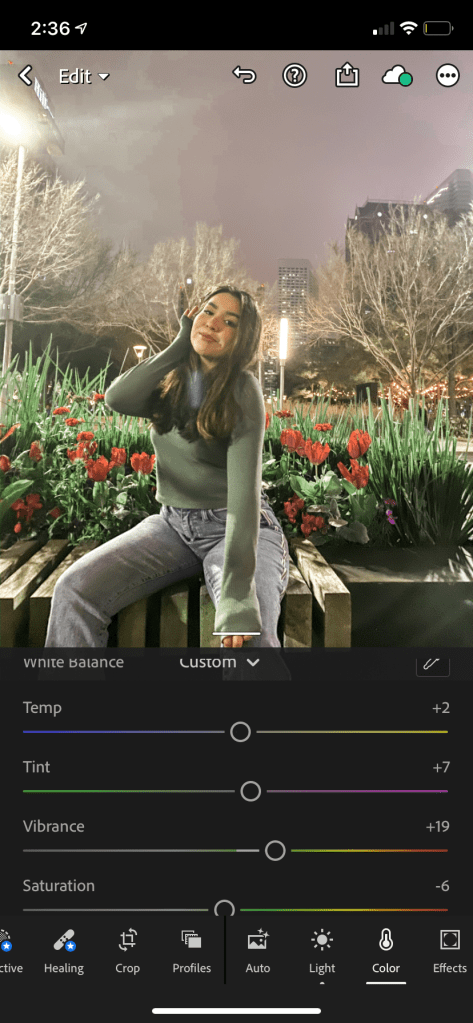
The next step is coloring/ and color correcting. The first setting available on the main screen for coloring, it gives you options for temperature, tint, saturation, and vibrancy. Each feature is different so depending on your look just play around with them. These settings shown are my preferred settings to get my filter.
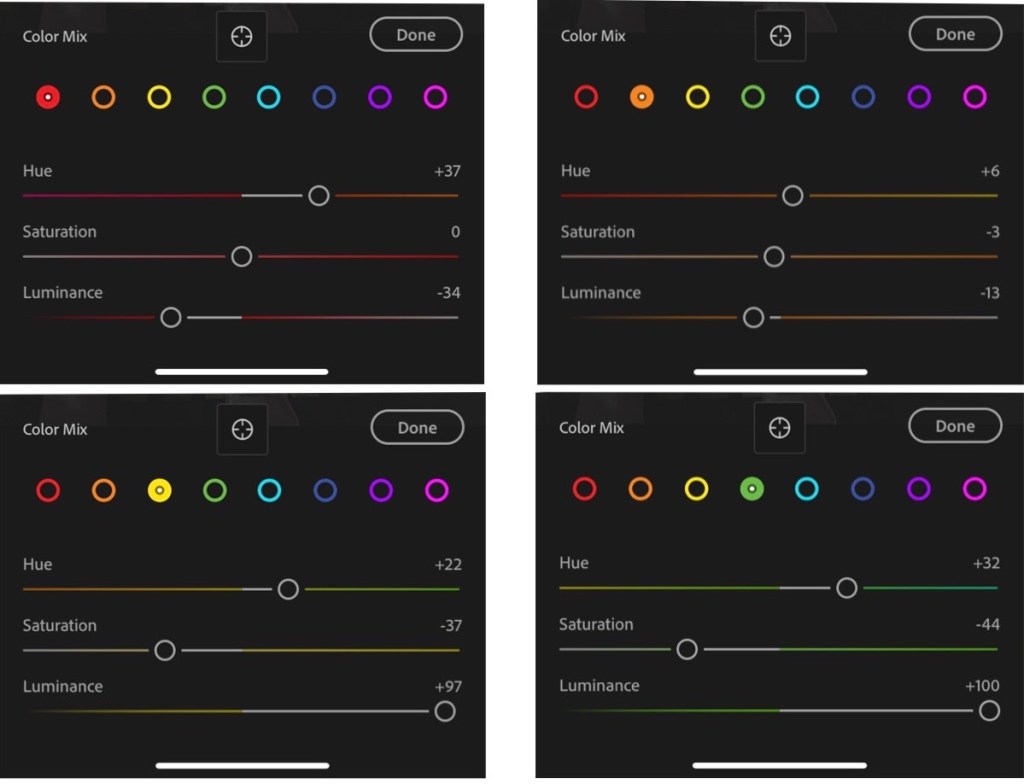
Lightroom is very customizable especially when it comes to colors and enhancing/ or not enhancing certain colors
Lightroom is very customizable especially when it comes to colors and enhancing/ or not enhancing certain colors. If you prefer for the red to stand out more you can turn up the saturation or If you want to change the red to a more orange tint you can drag the hue to the right. Lightroom is a really easy app to use once you play with the settings. personally I like the orange to be a browner and no yellow and very low saturation and high luminance of the dark blue.
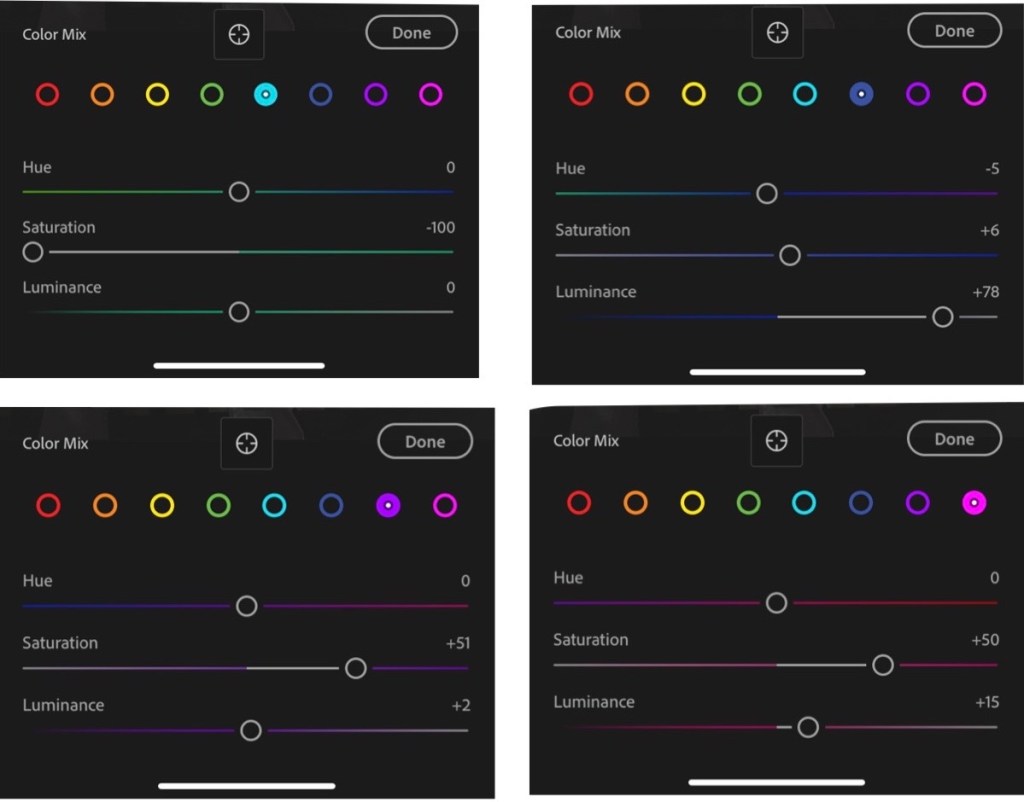
For some more inspiration for Lightroom filters, here are some examples to how customizable the app makes your pictures.
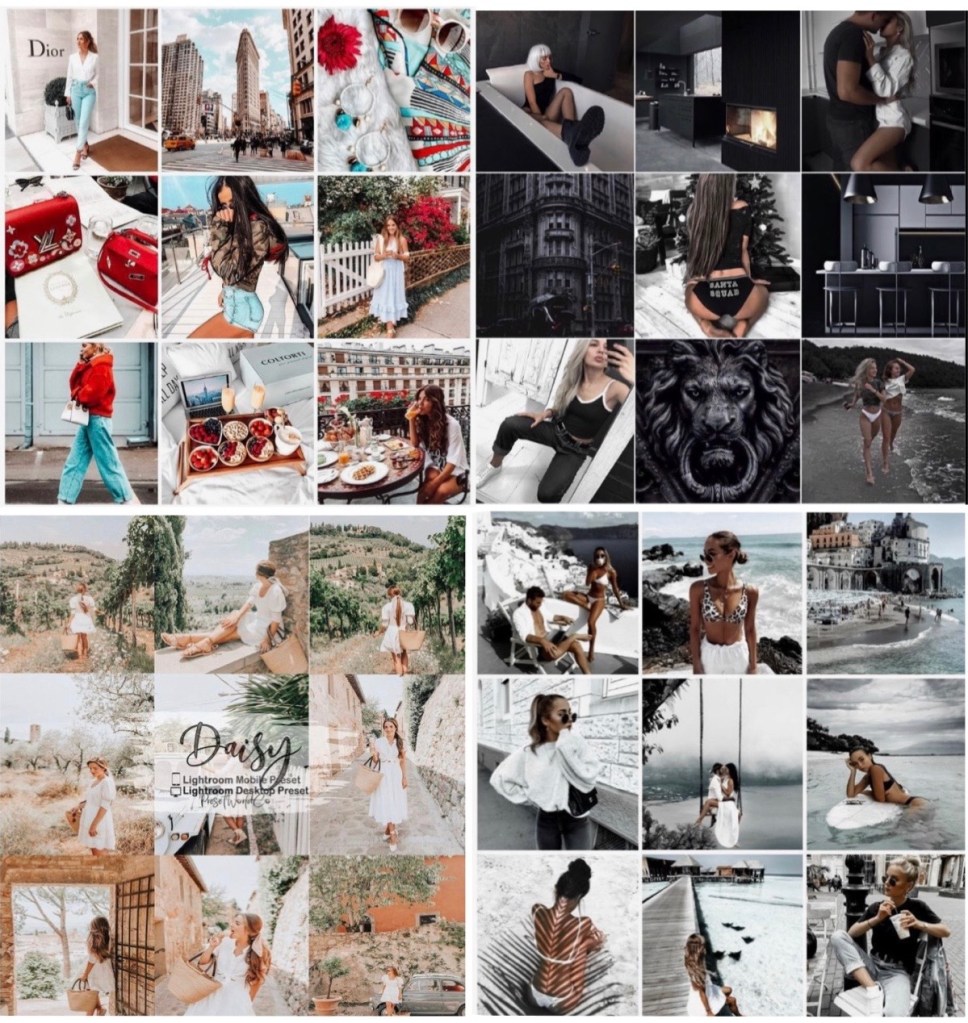
In conclusion have fun with editing! editing photos express the kind of person you are and how you want the world to see you as. If you want more ways to customize and edit your photos let me know in the comments!
Follow Me on Instagram and Twitter!:
 Victorias Blog